
Adding MMA Mathematica plugin on Windows

As far as I can see, https://github.com/hammerfunctor/tm-mathematica is the only way to use Mathematica inside TeXmacs on Windows.

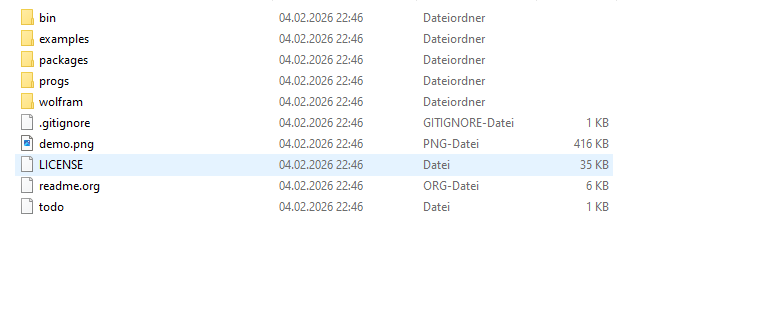
I downloaded the zip file to the TeXmacs plugin folder on Windows and renamed it to mma as stated in the instructions on GitHub.
Moreover, I ran the menu entry Tools > Update > Plugins.

Running

(url-exists-in-path? "wolframscript")

returns #t, indicating that TeXmacs can find the code.

However, there is no menu entry like Mathematica in the Insert > Session menu.

Maybe @sharkc has an idea which additional diagnostics I could run to pin down the problem.

I carefully read http://forum.texmacs.cn/t/texmacs-unable-to-run-mma-mathematica-plugin-in-mac-m2/2015, but this shouldn’t affect Windows.
The plugin 's name is mma. Could you look for that entry in the Insert > Session menu?

No, excuse me, I should have mentioned this.
I can only see the Options for Scheme, R and MATLAB.
Scheme sessions are the only ones which work.

I tried it with both Windows and Linux Ubuntu and it worked for me in both cases.

On Windows, the mma menu entry did not appear at program startup. I run the the menu entry Tools > Update > Plugins four times and it appeared, but checked for the menu entry only after the fourth time.

I am using TeXmacs version 2.1.2 on Windows, 2.1.4 on Linux.

Could you try updating the plugins a few times—in case it helps? If not, I think we can try some debugging.

Try (supports-mma?). Unbound variable means it doesn’t detect files while #t or #f tell you conditions are met or not.

Thanks @pireddag and @sharkc for your comments.

Updating the plugins multiple times doesn’t make any difference.

Indeed, (supports-mma?) returns Unbound variable.

I’m also struggling a bit, because on Windows I can’t see the status bar. On my Linux computer I can see it.

I installed Octave on my Windows computer to ensure that it would correctly activate the corresponding plugin and it worked.

If you’re pretty sure those files are sitting where they should be, try to run the setup program with texmacs -S. If it still does not work, try to reboot your PC. That’s all I can say about this situation.

Thanks nonetheless.

I found some interesting information on http://forum.texmacs.cn/t/install-texmacs-with-maxima-on-mac-with-m1/614/51.
It is actually about the Maxima plugin on Mac OS, but there are some generally helpful hints about debugging plugins.

Here I understand that the files @sharkc is referring to are Scheme files belonging to TeXmacs. The fact that TeXmacs is not detecting them means “something is wrong with the TeXmacs installation”. @sharkc please correct me if I am wrong.